The PDF version of the manual is downloadable from the end of this instruction page.
Note: To carry out the following steps you will need to have the full version of Adobe Acrobat / Adobe Acrobat Professional installed, not just the free Acrobat Reader.
Step 1: “Print” your pecha to PDF format
Step 2: Trim pages
Step 3: Rotate Pages
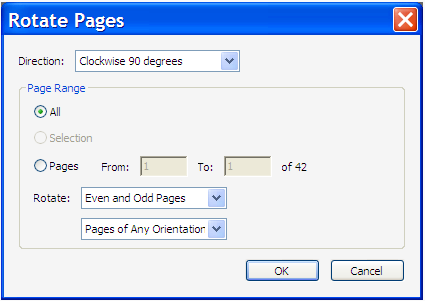
Next, we need to rotate the pages in the PDF file clokwise 90° to make printing easier.
From the menu select: Document ► Rotate Pages…
In the Roate Pages dialog box choose Direction: Clockwise 90 degrees and Page Range: All.
Then click OK
Step 5: Print odd pages
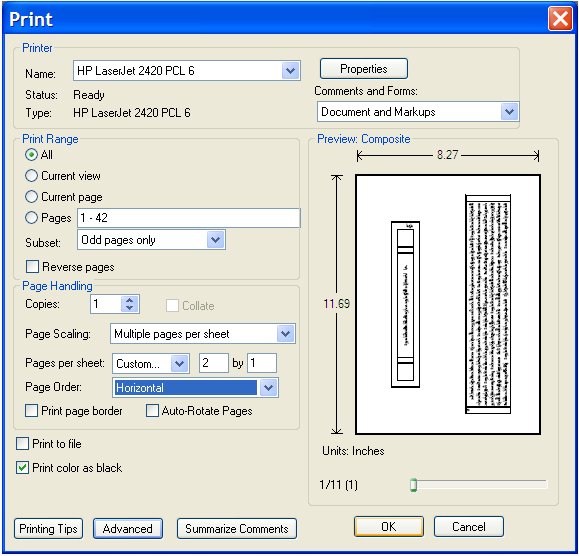
Next, we will print the front sides of the pecha 2-up:
From Acrobat’s menu choose File Print
In the Print dialog, first select your printer
Then under Print Range select All, and for Subset select Odd pages only