The PDF version of the manual is downloadable from the end of this instruction page.
Preparation
Make sure you have already followed the instructions appropriate to your operating system to setup your computer for Dzongkha. (Install Dzongkha Keyboard, and Dzongkha fonts)
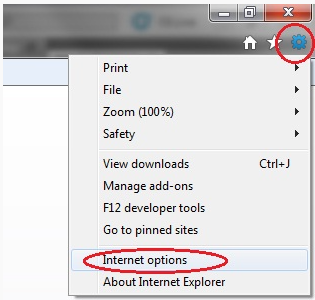
Click on the Tools icon at the top right corner and then click on Internet Options
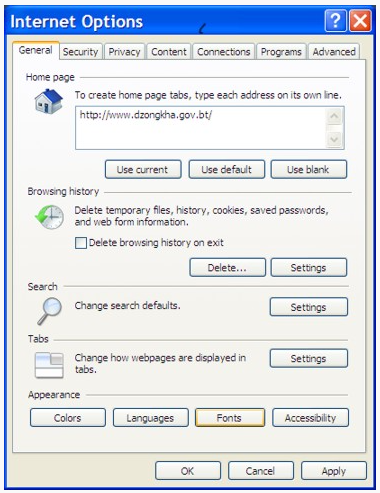
In the Internet Options dialog box choose the General tab, and click on the Fonts button near the bottom of the panel
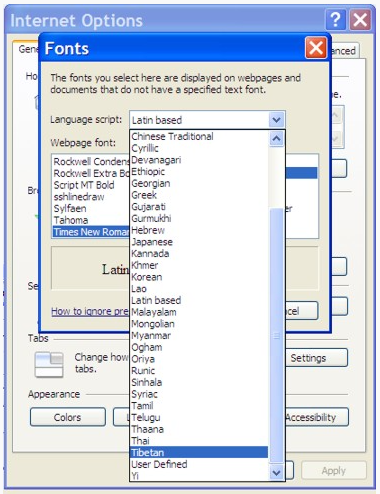
In the Fonts dialog box, in the drop-down list box next to Language script select Tibetan
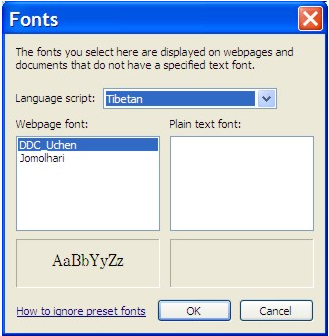
Your Fonts dialog box should now look like like the one illustrated below.
In the list box under Webpage font: select the Dzongkha Font you wish to use as your default (i.e. DDC Uchen).
Finally, click on the OK button in this dialog box, and again in the Internet Options dialog box.
2. Firefox
Start Firefox
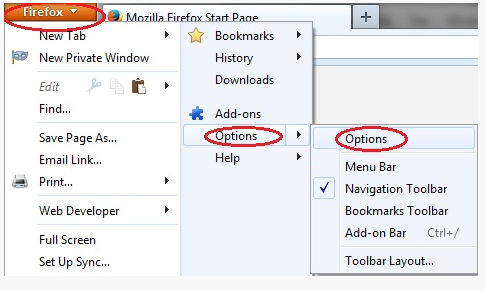
Click on the Firefox button at the top left corner., hover mouse over Options and then click on Options
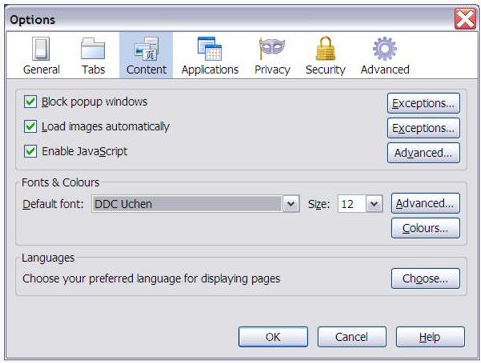
In the Options dialog box choose Content
In the Options Content tab, clck on the Advanced… button in the Fonts & Colours section
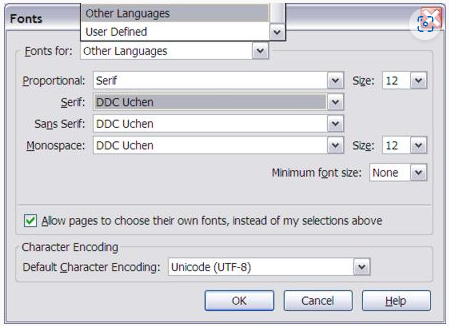
A Fonts dialog box, like the one illustrated, will be displayed.
In the drop-down list box next to Fonts for: select Other Languages.
In the list box next to Proportional select Serif.
For all font options (Serif, Sans Serif and Monospace) select a suitable Dzongkha font (e.g. “DDC Uchen”).
Choose “Unicode (UTF-8)” for Fallback Character Encoding.
Finally, click on the OK button in this dialog box, and again in the Options dialog box.
3. Google Chrome
Start Google Chrome
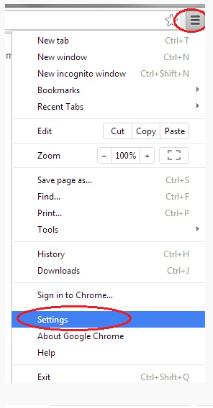
Click on the Customize and Control Google Chrome button on the top right corner and go to: Setting
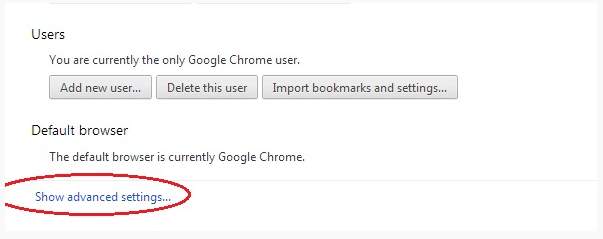
At the bottom of the page, click on “show advanced setting”.
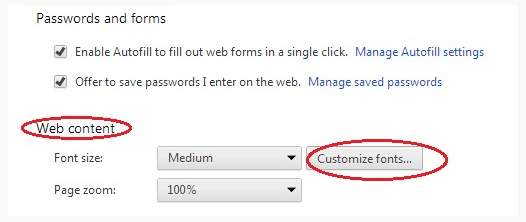
Scroll down till “Web content” and click on “customize fonts”. Fonts and Encoding tab will pop up.
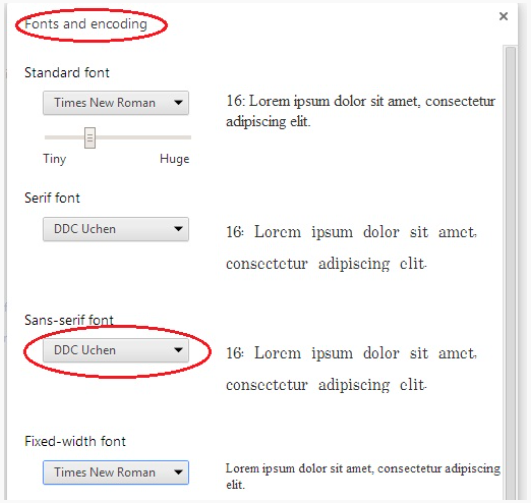
In the fonts and Encoding tab, choose DDC Uchen for Sans-serif font and choose Unicode(UTF-8) for encoding. Then click done and close the setting‘s tab.
Note: You can further use zoom in and zoom out facilities. Press and hold Ctrl and repeatedly press + for zoom in. Press and hold Ctrl and repeatedly – for zoom out.