Microsoft added the Dzongkha keyboard Layout and the dz-BT Locale in their latest OS Windows 10, which was launched on 29th July, 2015. The official Dzongkha keyboard layout and the dz-BT were provided to the Microsoft by the Dzongkha Development Commission.
The users will no more have to install the Dzongkha keyboard and the locale separately as in earlier versions of Windows,.
The users will now be able to add Dzongkha as a language with official Dzongkha keyboard. Text typed in Dzongkha will now be tagged as Dzongkha text unlike as ‘Tibetan’ in Windows 7 and 8 and as ‘Icelandic’ in Windows XP.
With dz-BT locale included, the users now will be able to change the formats of date, time, numbers and currency.
How to add the Dzongkha language and Dzongkha keyboard
Before upgrading to Windows 10, uninstall whatever Dzongkha keyboard that you have installed before, if any, and follow the following steps to add Dzongkha keyboard on your computer.
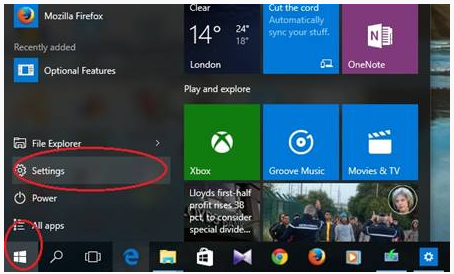
Click on the Windows start menu and then click on the settings.
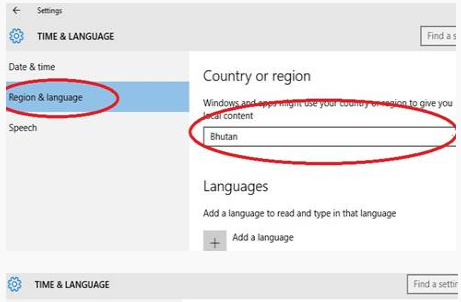
In the Settings page, click on Time & language section/icon.
Once you are in Time and Language page, click on Region & language menu. You can select Bhutan as the country from the dropdown.
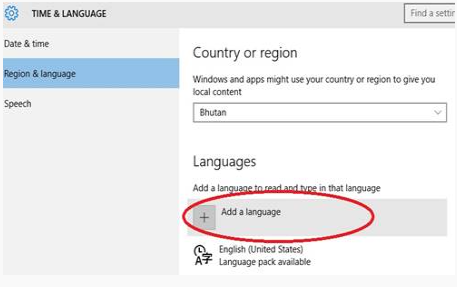
Next click on + button to add a language.
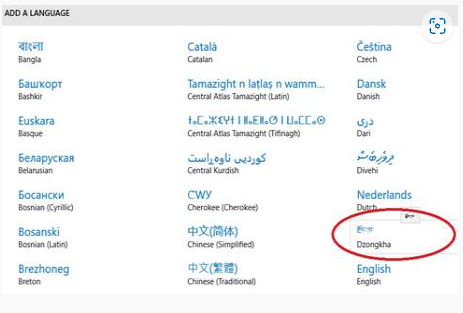
Scroll through the list and click on the Dzongkha.
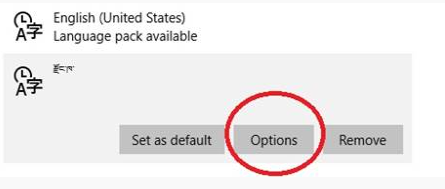
Next click on Options button to enable the Dzongkha keyboard.
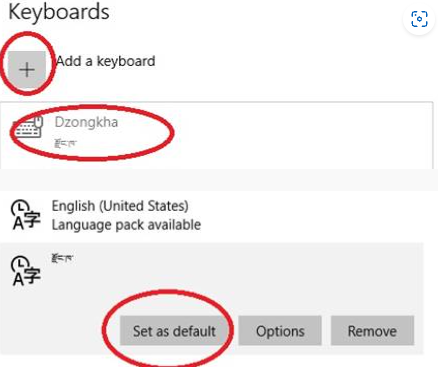
Click on + button to add a keyboard and click on Dzongkha from the list. With this you will have Dzongkha keyboard set for Dzongkha input.
If you do more works in Dzongkha than English, you may set the Dzongkha keyboard as default by clicking on Set as default.
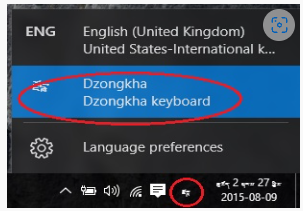
You will now be able to select Dzongkha keyboard by clicking on the Keyboard bar at the bottom right of the screen. You can also use short cut key for keyboard Shift+Alt to switch keyboards between Dzongkha and other language keyboard on your computer.
Formatting dates, time, number and currency using dz-BT locale
Follow the following steps to format date, time, number and currency.
Click on the Windows start menu and then click on the settings.
On the settings page, click on Time & language section/icon.
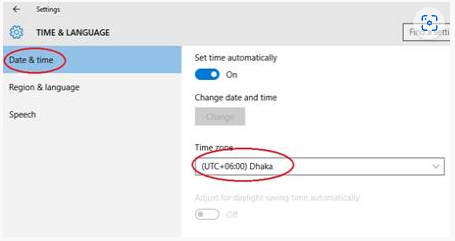
Once you are in Time and Language page, click on Date & time and select Dhaka for (UTC+06:00) Dhaka for Time zone.
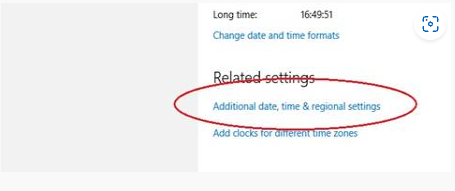
Scroll down to Related settings and Click on Additional date, time & regional settings.
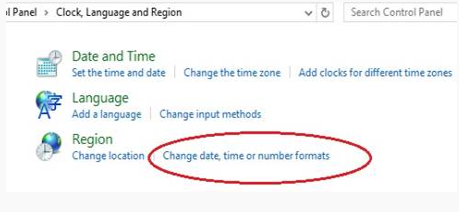
Clock, Language and Region page will pop-up. Click on change date, time or number formats.
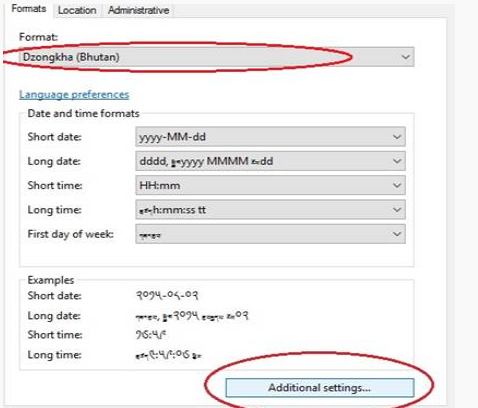
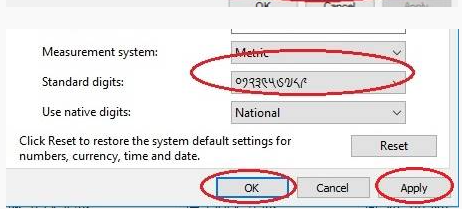
Choose Dzongkha (Bhutan) from the list and then click on Additional settings. You can also change date and time formats as you desire.
Select ༠༡༢༣༤༥༦༧༨༩ for standard digits. Then click on Apply and OK button.
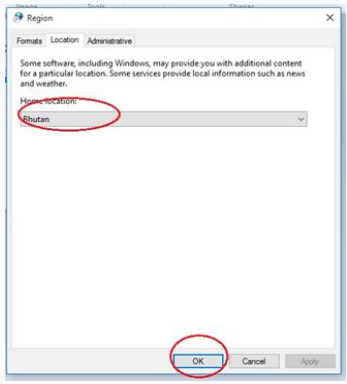
Click on Location tab and select Bhutan as the Home location. You can then click on OK.
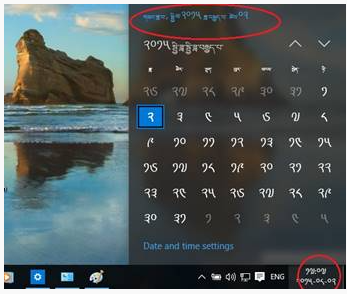
Now the dates, numbers and time will be displayed accordingly (as seen below).